• General Questions

    American Sign Language (ASL) interpretation is available for any JCPL program or event, including Story Time. We make every attempt to accommodate all requests but cannot guarantee those made with less than two weeks' notice. Please contact asl@jeffcolibrary.org to make this request. 

    Additionally, personal FM listening devices (function with or without hearing aids/cochlear implants) in meeting rooms at the Arvada, Belmar, Columbine, Evergreen, Golden, Lakewood and Standley Lake libraries. Please let staff know if you want to use one of these devices during a program.

    Our Assistive Technology and Digitization Workstations make web browsing and online reading more accessible for all users. The stations include software specifically designed for those who are blind/visually impaired, have difficulty typing, have dyslexia or other reading difficulties, and are deaf or hard of hearing.

    All locations have large print plugin keyboards and trackball mice available by request.

    All public computers have the built-in Windows 11 accessibility features: Magnifier, Narrator (screen reading software), On-Screen Keyboard and the ability to adjust all Ease of Access settings. Public Computers are available at all full-services locations and Express Library West Arvada, which is a self-service location, advanced registration required. 

    We have a collection of large print books and audiobooks on disc or downloadable for all ages.

    Colorado Talking Book Library, provides audio, braille and large print books. We can assist with submitting applications to this library.

    Our Assistive Technology and Digitization Workstations make web browsing and online reading more accessible for all users. The stations include software specifically designed for those who are blind/visually impaired; have difficulty typing; have dyslexia or other reading difficulties; and who are deaf or hard-of-hearing.

    All locations are ADA compliant in design and architecture, including parking, public computer desks and walkways.

    Patrons can request Trackball Mouse available at all full-service locations.

    Our Assistive Technology and Digitization Workstations makes web browsing and online reading more accessible for all users. The stations include software specifically designed for those who are blind/visually impaired; have difficulty typing; have dyslexia or other reading difficulties; and who are deaf or hard-of-hearing.

    Book A Librarian appointments are available for help finding information and using technology, done one-on-one at all locations. 

  • Building Projects

  • Collection

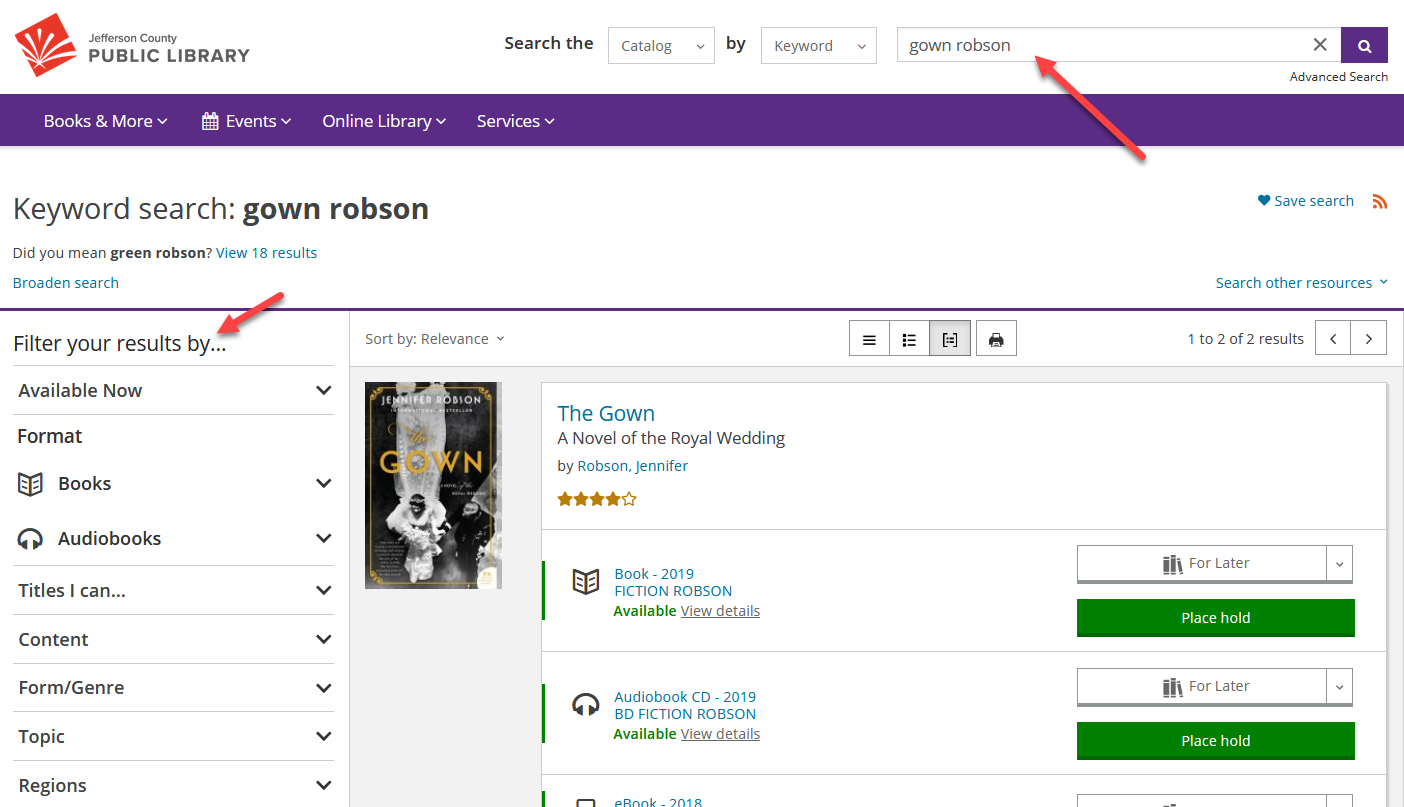
    The easiest way to search the library catalog is to type one or more words in the search box at the top of the page, and then click the Search button (the magnifying glass).

    You can enter titles, authors, keywords, subjects, or a combination of all, in this search box.

    After you search, you can use the filters on the left side of the page to narrow down the results. There are filters for format, availability, audience, language, and publication date, among others.

    Screenshot of search results after searching for "gown robson," with one red arrow pointing at the search box, and another red arrow pointing at "Filter your results by..."

    The catalog recognizes certain keywords and automatically applies filters accordingly. For example, if you search for “new kids dvds” the search results contain DVDs for children that were recently added to the collection. The search will recognize format, audience, language and "new to the library." This also works with “Spanish books” or “new music cds.”

    Note: On a smaller screen, the search box will collapse to a magnifying glass icon to save space. Just click or tap on the magnifying glass to open the search box.

    Screenshot showing that the search box disappears on smaller screens. A red arrow points at the magnifying glass that allows the search box to open.

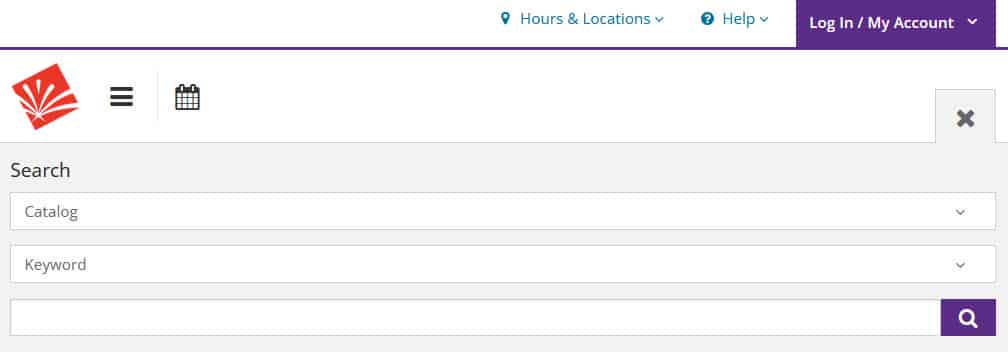
    A screenshot of the search box opened on a smaller device, after the magnifying glass was clicked.

    If you can't find what you are looking for in our catalog, try Prospector next. Prospector is a group of academic, public and special libraries in Colorado and Wyoming that allows you to search and borrow materials and have them delivered to your local library. If you can't find it in Prospector, you can suggest a purchase or request an interlibrary loan. Interlibrary loan allows you to borrow hard-to-find materials from around the world. Use this form to submit your request, and you will be notified in about three weeks.

    • To see a list of titles that are on order, select Books & More from the main menu, and then choose New & On Order under Read, Watch, Listen. Then click on On Order Titles.
    • To see a list of new books or new DVDs, select Books & More from the main menu, and then choose New & On Order under Read, Watch, Listen. Filter by Format to view only books or only DVDs.
    • To see most movies in our collection, search the catalog for "DVD." Use the "Sort by:" drop-down to change how the results list is sorted. Use the filters on the left as needed, for location availability, language, publication date, etc.

    Yes. Log into your account, do your search - as basic or advanced as you would like – then click the Save Search link above the search results. Give the search a name and save it. You can access your saved searches in My Settings in your Account.

    Not at the present, unfortunately.

    After you do a search in our main catalog, look for a link that says "Search other resources." Click on that, and then click on "Try your search in Prospector."

     A screenshot from catalog search results, with the Search Other Resources dropdown open to illustrate where to find the Try Your Search in Prospector link.

    Click "Request It" next to the item you would like to request from Prospector.

    In the pop-up box, select Alliance - Jeffco Public Library from the dropdown under "With which institution are you affiliated?"

    Enter your name, library card number, and pickup location, then click Submit.

    Please note that it is not currently possible to pick up Prospector holds at Holds Lockers, and Prospector is not accessible via the MyJCPL mobile app.

    We have book club bags that include up to 10 copies of a popular book and a guide to facilitate discussion. The kits check out for 6 weeks, and are holdable. To find what titles we have available, just search for “book club kits” in our catalog.

    Please let us know. We do not charge replacement fees on lost or damaged children's items, but do charge replacement fees for other materials. Please visit a library to pay the replacement fee. There is no need to purchase a copy on your own as a replacement. 

    If you find a lost book after paying the replacement fee, you may bring it into one of our locations and receive a refund.

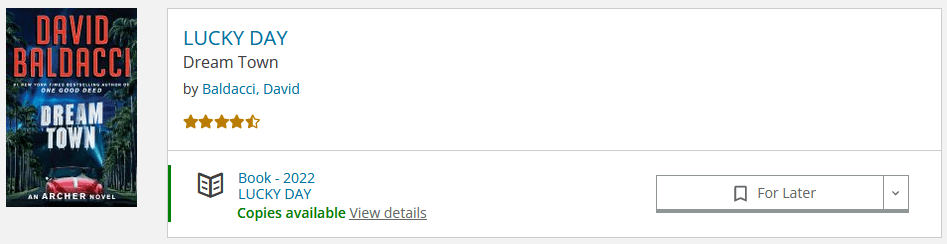
    Lucky Day Books and Movies

    Lucky Day is a special collection of highly popular books and DVDs available at each library location. Lucky Day books check out for three weeks, and movies check out for seven days. Lucky Day items are non-holdable, non-renewable and available for checkout on a first-come, first-served basis. You may have three Lucky Day items checked out at one time. Search for a specific title to see if it is available in the Lucky Day collection, or search by "lucky day" to see a list of all Lucky Day items.

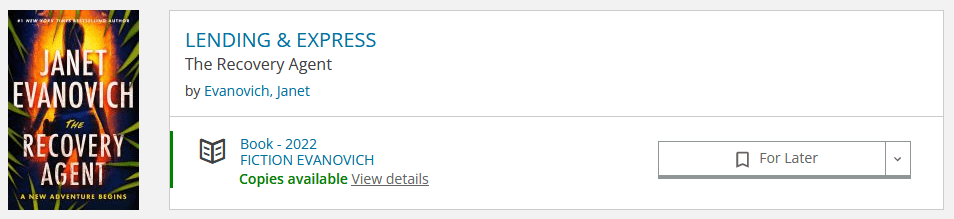
    Lending & Express Books and Movies

    The Lending & Express collection also consists of popular books and DVDs that are available on a first-come, first-served basis and are non-holdable. These items will renew one time, and this will happen automatically. Lending & Express books check out for three weeks and movies check out for seven days. This collection lives at the Express Library West Arvada. Search for a specific title to see if it is available in either collection or search by "lending & express" to browse a list of all items.

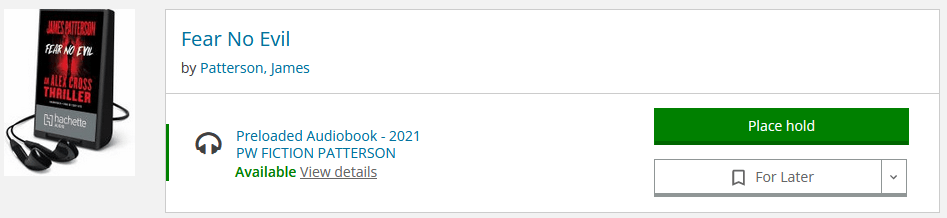
    Playaways

    A Playaway is a small portable device with one audiobook loaded on it. It uses one AAA battery and headphones (not supplied). Playaways check out for three weeks and are holdable and renewable. In the catalog, search for them by title, author, keyword or just "playaway" to see a list of all Playaways. When you filter a catalog search by Format, they are included in the Audiobooks section and are called Preloaded Audiobook.

    Book Club Kits

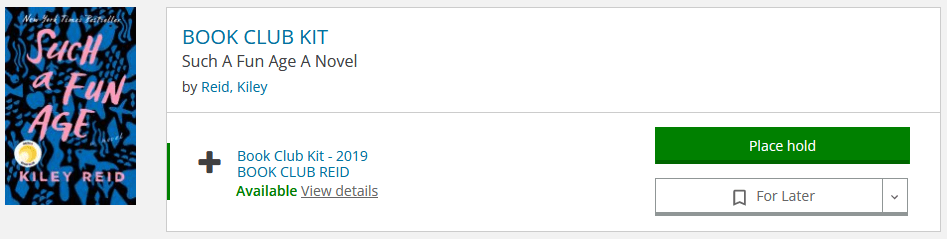
    A Book Club Kit is a bag that includes 10 copies of a popular book and a guide to facilitate discussion. The kits check out for six weeks and are holdable but not renewable. Search for them by title, author, keyword or just "book club kit" to see a list of the kits we have available. When you filter a catalog search by Format, they are included in the Books section and are called Book Club Kit.


    LaunchPads

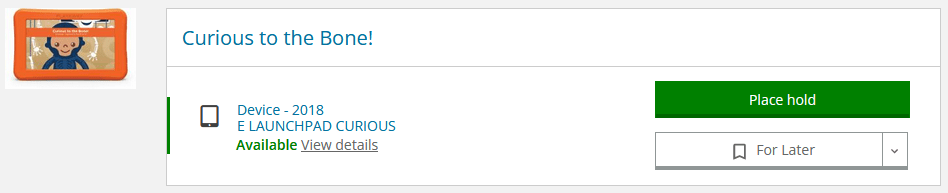
    LaunchPads are kid-friendly tablets preloaded with fun and educational apps, e-books and games, organized by age level and theme. They check out for three weeks and are holdable and renewable. Search for them by theme or just "launchpad" to see a list of all Launchpads. When you filter a catalog search by Format, they are included in the Other section and are called Device.

    Read Alongs

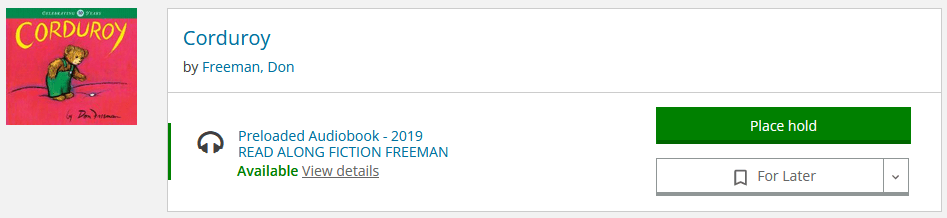
    A Read Along is a print book with a ready-to-play audiobook inside. Read Alongs check out for three weeks and are holdable and renewable. Search for them by title, author, keyword or just "read along" to see a list of all Read Alongs. When you filter a catalog search by Format, look in the Audiobooks section and select Preloaded Audiobook. Please note that Hoopla offers many titles in streaming video format, also called Read Along.

    Chromebooks

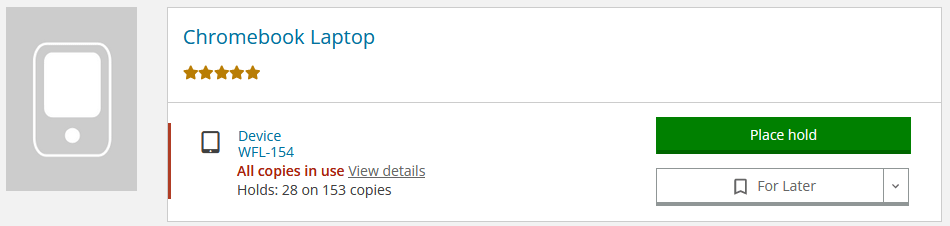
    JCPL Workforce Center Chromebooks are laptops with built-in Wi-Fi intended for Jefferson County residents seeking employment. Chromebooks check out for 60 days and are holdable but are not renewable. Find them in the catalog by searching for "chromebook." Available to Jefferson County residents and permanent cardholders only.

    Hotspots

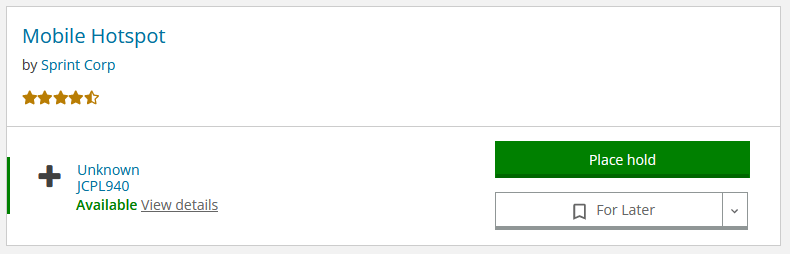
    Mobile Hotspots are portable devices that allow you to connect up to 10 Wi-Fi-enabled devices (laptops, smartphones, tablets, etc.) to the internet almost anywhere in the U.S. Hotspots check out for seven days and are holdable and renewable. Find them in the catalog by searching for "mobile hotspot." Available to Jefferson County residents and permanent cardholders only.

    Binge Boxes

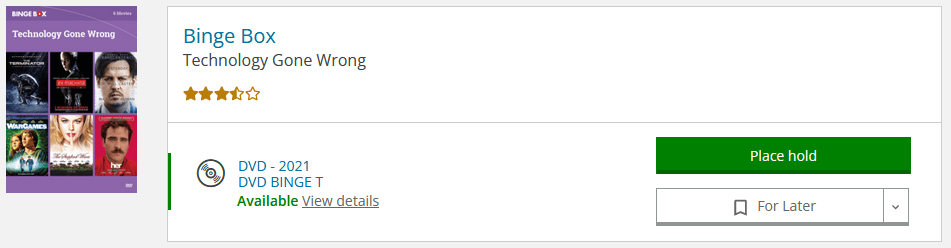
    Binge Boxes contain four to six pre-selected movies with the same theme. Binge Boxes check out for seven days and are holdable and renewable. Find them in the catalog by searching by keyword and "binge box, a movie title and "binge box" or just search "binge box" to see a list of all Binge Boxes.

    Stories to Go

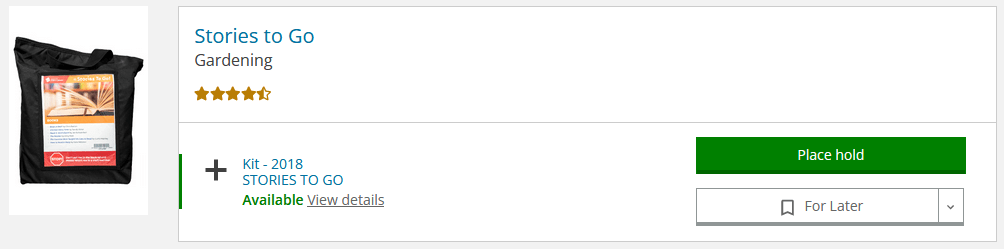
    Stories to Go is a bag with six kids' picture books on a specific theme and a two-page insert with ideas for related fingerplays, rhymes, songs and a craft. Stories to Go bags check out for three weeks and are holdable and renewable. Search for a title, author, theme, or search for "stories to go" to see a list of all bags. When you filter a catalog search by Format, they are included in the Other section and are called Kits.

    Watts Up Meter

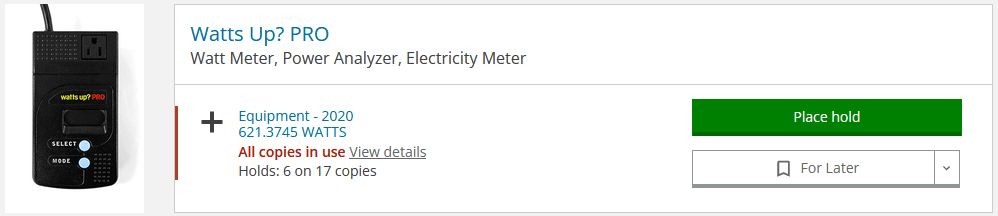
    Watts Up PRO Watt Meters are devices that can determine what electric devices (any 120 VAC appliance) cost to operate, therefore allowing you to monitor and project energy costs in your home. Meters check out for three weeks and are holdable and renewable. In the catalog, search for them with "watts up."

    Thermal Leak Detectors

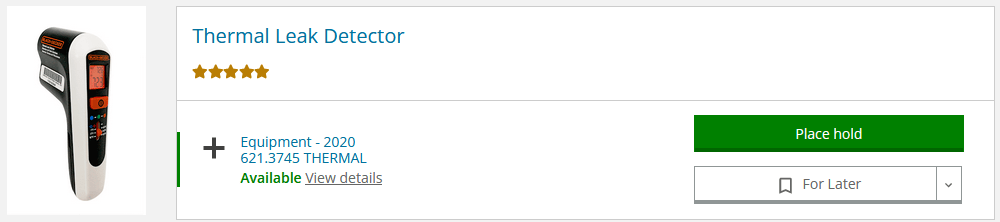
    These draft check meters are devices that use an infrared sensor to measure energy loss and identify leaks in your home, which can help you make your home more energy efficient. Detectors check out for three weeks and are holdable and renewable. In the catalog, search for them with "thermal leak detectors."

    WhaZoodles

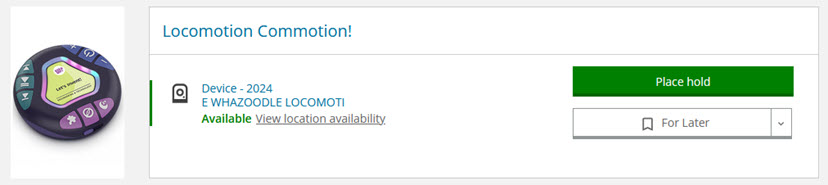
    WhaZoodles are a stand-alone audio devices that empower young minds with three engaging modes of ad-free content including podcasts, stories, games, songs, guided meditation, nature sounds, and so much more. They check out for three weeks and are holdable and renewable. In the catalog, search for them with "whazoodles."

    Top picks are books from the most popular subject areas for Kids and Adults that we have pulled out of the stacks to highlight. They are holdable and renewable and check out for three weeks.

  • Creative Technology

  • Culture Pass

    The number of people that your Culture Pass will admit varies by location. Further details about your Culture Pass can be found in the confirmation email.

    • American Museum of Western Art: 4 visitors
    • Bear Creek Lake Park: 1 car
    • Butterfly Pavilion: 1 visitor at no cost, 3 more visitors for $5 each
    • Center for Colorado Women's History: 2 adults (children 18 and under are free)
    • Clear Creek Makerspace: 1 month of membership for ages 14+
    • Clyfford Still Museum: 2 adults and up to 7 children, 17 and under
    • Colorado Railroad Museum: 6 visitors
    • Denver Firefighters Museum: 4 visitors
    • Denver Museum of Miniatures, Dolls & Toys: 4 visitors
    • Denver Trolley: 2 visitors
    • Dinosaur Ridge: 4 visitors
    • Four Mile Historic Park: 2 adults, 4 youth (ages 7 - 17) (children 6 and under are free)
    • History Colorado Center: 1 visitor at no cost, and $5 off of General Admission for up to 3 additional adults (children 18 and under are free)
    • MCA Denver: 4 visitors
    • Museo de las Americas: 4 visitors
    • Rocky Mountain Quilt Museum: 4 visitors
    • Wings Over the Rockies: 4 visitors

    When you reserve your Culture Pass, your confirmation serves as your entry ticket, but also check that confirmation carefully for details about what additional steps you might need to take. Passes are only valid for the date printed on your confirmation.

    Your Culture Pass confirmation email will be sent to the email address in your library account. If you no longer have access to that email account, please contact us for assistance.

    To cancel your Culture Pass booking, use the link from your confirmation email, or contact us for assistance.

  • Curbside Service

    Curbside pickup is a contactless way to pick up your holds without leaving your car.

    To use our Curbside Service, simply place a hold and select one of the locations offering pickup. When your items are ready, you will receive a "ready for pickup" notification. Once you have received that notification, you can stop by anytime during open hours to pick up your holds. We will keep your hold(s) on the shelves for seven days.

    When you arrive to pick up your item(s), please park in a designated curbside spot (or walk up if you don't have a vehicle), and call the library phone number on the sign. Give staff your name and JCPL card number. Please open your vehicle trunk and stay or get back inside your vehicle. A staff member will then bring your item(s) out to you and place them in your open vehicle. These steps allow us to offer a contactless service that prioritizes the health of our community and staff.

    Yes, you may return your items in our book drop.

    The safety of our patrons and our staff is our highest priority. There may be some situations in which staff cannot safely provide curbside services. Curbside Service may be temporarily suspended either at individual locations or system-wide for inclement weather or dangerous conditions.

    Please check our website to find out if Curbside Service is suspended. If it is, there will be a banner at the top of jeffcolibrary.org stating that Curbside Service has been suspended due to weather.

    If you arrive at your Library and the curbside signs are covered with plastic bags, the service has been temporarily suspended. The building may still be open for walk-in services, and you may come inside to pick up your holds.

    You can also call us at 303-235-5275 to inquire about the availability of services at your preferred Library or extend the timeframe for picking up your items.

  • E-books & More

    Publishers require us to abide by a “one copy/one user” model, so we have to purchase most e-books in the same way we purchase physical books.

    Find your device in the left column, and the format you want to use in the top row. Where they meet tells you which vendor(s) can be used.


    E-books, Comics

    Downloadable Audiobooks

    E-magazines

    Streaming TV/Movies

    Streaming Music

    iPhone or iPad

    BiblioBoard, Hoopla, Libby Hoopla, Libby Flipster, Libby, PressReader Hoopla, Kanopy Hoopla, Freegal

    Android smartphone or tablet

    BiblioBoard,  Hoopla, Libby Hoopla, Libby Flipster, Libby, PressReader Hoopla, Kanopy Hoopla, Freegal

    Kindle Fire

    BiblioBoard, Hoopla, Libby Hoopla, Libby Flipster, Libby, PressReader Hoopla, Kanopy Hoopla, Freegal

    PC or Mac (via browser)

    BiblioBoard, Hoopla, Libby Hoopla, Libby Flipster, Libby, PressReader Hoopla, Kanopy Hoopla, Freegal

    Kindle e-reader

    Libby Not compatible Not compatible Not compatible Not compatible

    Other e-reader

    Libby Not compatible Not compatible Not compatible Not compatible

    TV

    Not compatible Not compatible Not compatible Hoopla, Kanopy Not compatible

    Hoopla and Kanopy are available only to Jefferson County residents.

    Printable version

    Sure. Just fill out this form to let us know what you'd like us to consider purchasing. Not all publishers make their content available for libraries to purchase in a digital format, but we will see if something is available. 

  • Español

    El número de teléfono: 303-235-5275. Alguien estará disponible para ayudarte en español.

    Si hace clic en Hours & Locations en la esquina superior derecha de cada página, puede buscar por código postal o hacer clic en See All Locations para ver una lista completa de ubicaciones.

    En un dispositivo móvil, haga clic en el ícono Ubicación en la esquina superior izquierda y luego haga clic en See All Locations.

    Los residentes de Colorado que tengan 17 años o más pueden registrarse para obtener una cuenta en la Biblioteca Pública del Condado de Jefferson visitando cualquiera de nuestras ubicaciones y presentando una identificación con foto actual. Los residentes menores de 17 años pueden registrarse acompañados por uno de sus padres o tutor, quien lleve consigo una identificación con foto actual.

    También puedes solicitar una tarjeta digital de la biblioteca en línea. Si tu nombre y dirección son verificados, se te emitirá una tarjeta de biblioteca según tu elegibilidad. Si no se puede verificar tu identidad, recibirás una tarjeta temporal, la cual podrás convertir en una tarjeta permanente presentando tu identificación con foto en cualquiera de nuestras ubicaciones dentro de un plazo de tres semanas.

    Formas aceptables de identificación para mayores de 17 años que deseen obtener una nueva tarjeta de biblioteca:
    - Licencia de conducir, tarjeta de identificación del estado o identificación digital de la aplicación MyColorado.
    - Pasaporte, identificación militar o matrícula consular
    - Identificación universitaria o escolar

    No es necesario que tu identificación tenga una dirección en Colorado, Sin embargo, para registrarte por primera vez, debes residir en Colorado.

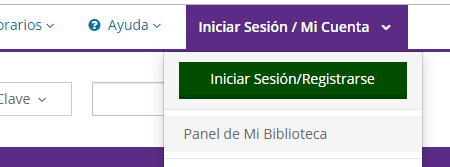
    Para empezar, haga clic en el botón púrpura de Inicio de sesión / Mi cuenta en el lado superior derecho de la pantalla para abrir el menú desplegable. Luego, haga clic en el botón verde de Inicio de sesión / Registro.


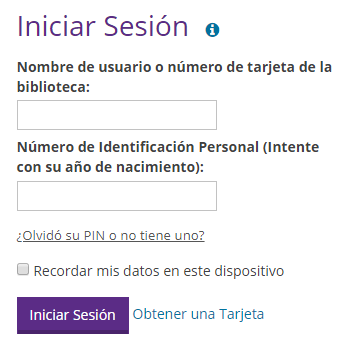
    Ingrese su número de tarjeta de la biblioteca y luego ingrese su PIN en el campo de contraseña.

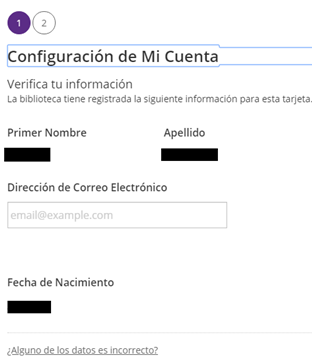
    Una vez que haya iniciado sesión, revise su nombre y fecha de nacimiento. Si esta información no es correcta, comuníquese con la biblioteca. Una vez que haya verificado que esta información es correcta, haga clic en continuar.

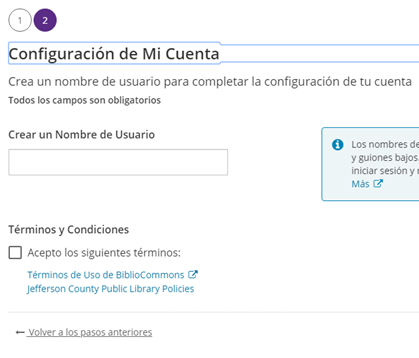
    Después, cree un nombre de usuario. Otros usuarios podrán ver su nombre de usuario, y usted podrá usar este, o usar su número de tarjeta de la biblioteca, para iniciar sesión de ahora en adelante. Luego marque las casillas para aceptar los Términos, condiciones y políticas.

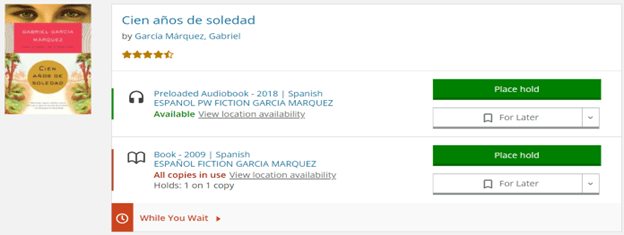
    Después de buscar algo en el catálogo y mirar los resultados de la búsqueda, debería ver un botón verde "Place Hold" al lado de cada formato.

    1. Haga clic en Place Hold frente al formato que desee.
    2. Después de hacer clic en Place Hold, se le pedirá que inicie sesión en su cuenta, si aún no lo ha hecho.
    3. A continuación, se le pedirá que seleccione la biblioteca donde desea recogerlo.
    4. Haga clic en Place Hold por segunda vez para confirmar.
    5. Si el título está disponible, lo buscaremos y lo enviaremos a su biblioteca en unos días. Si el título tiene una lista de espera, ahora estarás en la fila.
    6. Recibirás un correo electrónico o una llamada telefónica cuando tu reserva esté lista para ser retirada. El artículo se conservará durante siete días, incluido el día de la notificación.
    • Puede habilitar Enable Single-Click Holds / Reservas con un solo clic en la configuración de su cuenta para omitir el paso de selección de biblioteca.
    • También puede place holds on some e-content / reservar algunos contenidos electrónicos.
    • Para ver su lista de retenciones reservas en cualquier momento, haga clic en Log In / My Account / Iniciar sesión / Mi cuenta y luego seleccione On Hold / Reservar.

    La mejor forma de buscar en el catálogo de la biblioteca es ingresar una o más palabras en la casilla de búsqueda en la parte superior de la página, y luego hacer clic en el botón de Búsqueda (la lupa).

    Sí, todas nuestras bibliotecas ofrecen Wi-Fi. Conéctese gratuitamente a la red «JCPL Public».

    Tenemos Hotspots Internet portátil y Chromebooks disponibles para los residentes del Condado de Jefferson para prestar y llevarlos a casa. Los hotspots se pueden sacar por seite días, y los Chromebooks se pueden sacar por 60 días. También tenemos ordenadores portátiles que se pueden reservar y utilizar en la biblioteca de Arvada, Belmar, Columbine, Golden, Edgewater, Evergreen, Lakewood y Standley Lake.

    Porque valoramos su privacidad, no podemos prestar materiales a nadie que no tenga su tarjeta de la biblioteca, no conozca o no esté en posesión de su número de cuenta o de un documento de identidad con fotografía para probar su identidad. Por favor, recuerde traer su tarjeta de la biblioteca con usted si usted planea sacar artículos. La aplicación MyJCPL tiene una función de código de barras digital, o puede tomar una foto del código de barras en su teléfono inteligente y usar eso cuando usted visita.

    Si usted planea sacar las reservas para un amigo o miembro de la familia, usted tendrá que tener su tarjeta de la biblioteca o número de cuenta.

    Contáctenos para informarnos y se bloqueará su cuenta para que nadie más pueda utilizarla. La próxima vez que venga a la biblioteca, traiga su documento de identidad con fotografía y le asignaremos un nuevo número de tarjeta.

    Si no encuentra lo que busca en nuestro catálogo, pruebe Prospector a continuación. Prospector es un grupo de bibliotecas académicas, públicas y especiales de Colorado y Wyoming que le permite buscar y tomar prestado material y recibirlo en su biblioteca local. Si no lo encuentra en Prospector, puede sugerir una compra o solicitar un préstamo interbibliotecario.

    Las tarjetas temporales caducan a las tres semanas. Acuda a cualquiera de nuestras bibliotecas con un documento de identidad con fotografía para obtener su tarjeta permanente. Si no puede visitarnos, solicite información sobre el servicio a domicilio.

    Si ha utilizado libros electrónicos o audiolibros descargables con el número de su tarjeta temporal, informe a un miembro del personal cuando obtenga su tarjeta permanente, o póngase en contacto con nosotros en cualquier momento. Puede que necesitemos actualizar sus cuentas.

    Si tiene una tarjeta permanente y ve un mensaje sobre caducidad, póngase en contacto con nosotros.

    Un artículo no se renovará si otra persona está esperando por él o si ya ha sido renovado 12 veces. Además, varios tipos de materiales de nuestra colección no son renovables. Consulte esta tabla para determinar qué tipos de materiales son renovables.

    Recibirá un correo electrónico o una llamada telefónica. El artículo se guardará para usted durante siete días a partir de la notificación.

    Todos los artículos que califican para ser renovados se renovarán de manera hasta 12 veces.

    Si usted desea controlar sus propias renovaciones, existe una opción: desde jeffcolibrary.org, haga clic en Iniciar sesión / Mi cuenta, ingrese su número de tarjeta o nombre de usuario y su clave, luego vaya a su lista de préstamos. Los artículos se clasificarán automáticamente por fecha límite de entrega. Existen varias opciones para renovar.

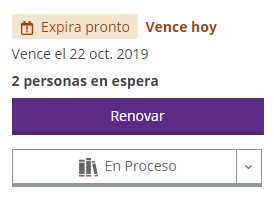
    • Puede renovar los artículos individualmente al hacer clic en el botón de Renovar cerca del título:

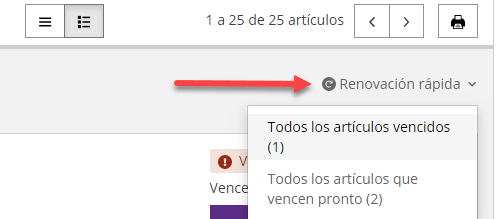
    • Puede renovar todos los artículos vencidos o todos los artículos que están por vencer con la opción Renovación Rápida que se encuentra en la esquina superior derecha de su lista de préstamos.

    • Puede renovar varios títulos a la vez haciendo clic en las casillas de verificación a la izquierda de cada título y usando la barra de Gestión de artículos en la parte inferior de la pantalla:

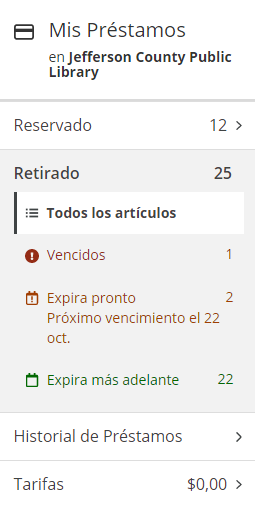
    • Para renovar por lotes, utilice el menú a la izquierda para seleccionar Vencidos, Por Vencer Pronto o Por Vencer Más Tarde. Haga clic en la casilla de verificación Seleccionar # de artículos, luego utilice la barra de Gestión de artículos en la parte inferior de la pantalla

    No cobramos multas por retraso en la devolución de materiales de nuestra colección, ni tarifas de reemplazo por materiales infantiles perdidos o dañados. Si un artículo (que no sea material infantil E o J) tiene mas de 28 días de atraso, se aplicará automáticamente una tarifa de reemplazo a su cuenta. Esta tarifa se eliminará una vez que el artículo sea devuelto. Los materiales prestados de otras bibliotecas (Prospector o Préstamo Interbibliotecario) pueden generar multas o tarifas.

    El tiempo de préstamo varía en función del artículo.

    • Películas Lucky Day: siete días
    • Libros Lucky Day: 21 días
    • Libros, libros electrónicos, audiolibros descargables y de transmisión directa, DVD y programas de televisión de no ficción, material de Playaway, préstamos de Prospector e interbibliotecarios: 21 días
    • Películas, revistas, CD de música, música de transmisión directa, puntos de conexión de wifi: siete días
    • Paquetes del Book Club: seis semanas
    • Stories to Go: 21 días

    Para ver una lista detallada, consulte nuestras Reglas de la Tarjetas de la Biblioteca.

    Las funciones incluyen:

    Solicitudes con un sólo clic: Elija la ubicación de su biblioteca favorita o la ubicación más conveniente. Con un sólo clic, los artículos se enviarán a esa biblioteca.

    Estantes: Haga un seguimiento de sus lecturas con los estantes de Para después, En progreso y Completados.

    Listas: Elabore listas de recomendaciones acerca de cualquier tema que le guste.

    Calificaciones y reseñas: Comparta lo que piensa sobre cualquier artículo en la colección.

    Perfil: Configure un perfil personalizado para compartir sus recomendaciones. También puede elegir seguir a otros usuarios si le gustan sus listas y reseñas.

  • Facilities

    We have a single phone number: 303-235-5275.

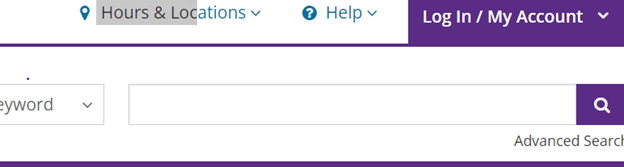
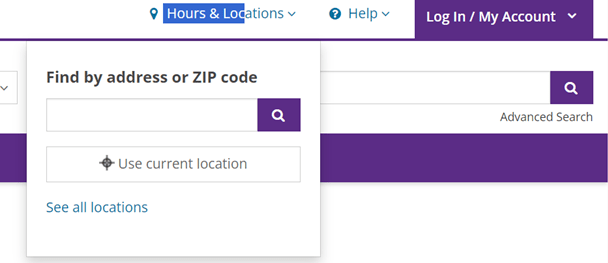
    If you click on Hours & Locations in the upper right corner of each page, you can search by ZIP code or click "See all locations" to view a full list of locations. On a mobile device, tap the Location icon in the upper left corner and then tap "See all locations."


    Click on Hours & Locations in the upper right corner of each page and then click "See all locations" to view a list of locations and hours. On a mobile device, tap the Location icon in the upper left corner and then tap "See all locations."

    Yes! Please visit our Volunteer page for current opportunities, applications and volunteer spotlights.

  • Mobile App

    To keep your library account secure, you can log into your Jeffco Library account on only one device at a time. If you are logged in on one device and then log in somewhere else, your first session will be logged out automatically. This includes the My JCPL mobile app. If you have logged in on your computer and then open the app, you will be logged out on your computer automatically.

    From the home screen, tap the card icon in the upper right-hand corner.

    You can add and access multiple library cards from the My Library Cards screen, which can be accessed by tapping on the card icon near the top right. Add a library card number by tapping on the ‘Add card’ button and logging in with that account.

    To switch between accounts, tap on the card icon near the top right (My Library Cards), then swipe left or right to move between library cards. When you see the card you want to use, tap in the circle next to Use This Card.

    A maximum of 8 library cards can be added to the app, and cards must be added to the app on each device separately. Logging out of the app will not remove cards, but uninstalling the app, or clearing phone cache, will remove all stored cards.

    No, but all those options remain available from our mobile website via a browser on your device.

    Yes. Since searching our collection and using My Account both require real-time communication with the catalog, the app does require Wi-Fi or a data connection.

  • Online Resources

    There are only a few of our resources that you have to access from a computer within the library, and those are Ancestry, Foundation Directory, and Generations Online.

    When you access one of our online resources from home, we make sure you have a valid library card by asking you to log in. Please see this FAQ if you are having trouble logging in.

    From the library homepage, click on Online Library and then Databases to see a large set of databases. Return to the full Online Library to browse all of our online resources by format, age group, topic or alphabetical listing. Most databases and online resources will ask you to log into your library account when you access them away from the library.

    Due to privacy policies, it is not possible to highlight course completions or certificates in your personal LinkedIn account for courses taken through the Library's LinkedIn Learning subscription.

    If LinkedIn Learning asks you for a Library ID, try entering "jeffcolibrary." If that does not work, go back to our homepage (jeffcolibrary.org), change the Search box to Website and search for LinkedIn. Use the link under Resource. Our specific link can also be found in various places in our Online Library.

  • Summer Challenge

    Beanstack, the system we use for Summer Challenge tracking allows you to use the same account year after year. We all know how difficult it is to remember which email we used, what our password is or whether we created an account at all, but we strongly encourage you to try to find your existing account instead of creating a duplicate account. Here are the options we suggest:

    1. Try logging in. Enter your email and password here. Any luck?
    2. Try "Forgot Your Password?" Enter your email address here.
      • A red error message means you did not register last year with that email address. Try another email address if you have one, or move on to step #3.
      • A green bar means you can check your email for password reset instructions and continue.
    3. We would be happy to look you up on the staff side of the software. Just call 303-235-5275 or email ask@jeffcolibrary.org.
    4. Is this your first time participating in the Summer Challenge? You can register for the first time here.

    Once you are logged back into the Summer Challenge system, you will be asked to update each "Reader Profile" (member of your family) and prompted to enroll in this year's Library Summer Challenge programs.

    Let us know if you have questions. 

    Yes, we do! In the app store on your device, search for and install the "Beanstack tracker" app. Tap "Find your school or library." If you already registered on a computer, just sign in and start logging. Or select Sign Up and get the whole family registered.

    When you are ready to begin logging, tap the plus sign.

    • To log reading minutes, select Reading, then select a Reader, and then select a logging method for reading (Log Without a Title is the quickest).
    • To log an activity, select Activity, then select a Reader, tap on Activities and Challenges, and then tap on the green plus sign next to the activity that you accomplished.

    Your logging will be tracked whether you use the website or the app.

    Android Tutorial | Apple Tutorial

    Children ages 0 - 5 are eligible for our 1000 Books Before Kindergarten program, and children ages 5 - 12 are eligible for our 500 Books Before Middle School in addition to the Library Summer Challenge. All three programs are run in Beanstack. Be sure to count any reading you do with your children in their respective programs!

    After you log into your account, click on the box in the top right with your name on it, and you will see an option to Add a Reader.

    Click Sign In and click on Forgot Your Password. The system will send an email to you with instructions for resetting your password.

    To edit any of your reading minutes entries:

    • log into your account
    • click on Reading Log
    • click on a date in the calendar
    • click on a book jacket, or the red rectangle
    • click Edit or Remove next to the erroneous entry, then Save.

    It isn't possible to edit any logged activities, so just don't worry about those!

    Click on the name in the top right corner, select your child from the drop-down, or click on Change Readers and then select your child. Click again on their name in the top corner, and then click on the pencil icon next to their name. Make any changes needed there, and click Save.

    If you need to edit something in the main account, click the gear button at the top right, then click on Edit Account.

    We will post a leaderboard on the School Contest page each week after the program kicks off on June 1.

    Sometimes an account creator may want to share one of their readers with another account creator. For example, a parent may want to share a reader's profile with a teacher or another caregiver. In these cases, the reader is shared, meaning both account creators may take actions on the reader's profile, and are able to edit/update it collaboratively.

    To share a reader, log in and toggle to the reader you want to share. Click on that reader's name and select Edit Reader. Scroll down to Share This Reader, enter the email address of the person you want to share with, then click Send. The person with whom the reader was shared will receive a message that the account creator wants to share this reader with them. They will be prompted to add their own account (if they do not have one), or enter a code to add this reader to an existing account.

    You can expect an email from the system each time you earn a prize. If you opted in to JCPL emails, you will hear from us occasionally with information about events and services. You can always manage your email preferences by clicking Unsubscribe at the bottom of the JCPL emails.

    Children ages 0 - 5 are eligible for our 1000 Books Before Kindergarten program, and children ages 5 - 12 are eligible for our 500 Books Before Middle School program in addition to our Library Summer Challenge program. All three use Beanstack. Be sure to count any reading you do with your children in their respective programs: reading and activities for the Summer Challenge, books for 1000 Books Before Kindergarten and 500 Books Before Middle School.

    No, those fields are optional, but if you want to use them, it is a great way to keep track of what you have read over the summer.

  • Technology

    Two microfilm readers are available at the Lakewood Library. The machines can crop, print, email and save to a flash drive.

    Lucky Day Books and Movies

    Lucky Day is a special collection of highly popular books and DVDs available at each library location. Lucky Day books check out for three weeks, and movies check out for seven days. Lucky Day items are non-holdable, non-renewable and available for checkout on a first-come, first-served basis. You may have three Lucky Day items checked out at one time. Search for a specific title to see if it is available in the Lucky Day collection, or search by "lucky day" to see a list of all Lucky Day items.

    Lending & Express Books and Movies

    The Lending & Express collection also consists of popular books and DVDs that are available on a first-come, first-served basis and are non-holdable. These items will renew one time, and this will happen automatically. Lending & Express books check out for three weeks and movies check out for seven days. This collection lives at the Express Library West Arvada. Search for a specific title to see if it is available in either collection or search by "lending & express" to browse a list of all items.

    Playaways

    A Playaway is a small portable device with one audiobook loaded on it. It uses one AAA battery and headphones (not supplied). Playaways check out for three weeks and are holdable and renewable. In the catalog, search for them by title, author, keyword or just "playaway" to see a list of all Playaways. When you filter a catalog search by Format, they are included in the Audiobooks section and are called Preloaded Audiobook.

    Book Club Kits

    A Book Club Kit is a bag that includes 10 copies of a popular book and a guide to facilitate discussion. The kits check out for six weeks and are holdable but not renewable. Search for them by title, author, keyword or just "book club kit" to see a list of the kits we have available. When you filter a catalog search by Format, they are included in the Books section and are called Book Club Kit.


    LaunchPads

    LaunchPads are kid-friendly tablets preloaded with fun and educational apps, e-books and games, organized by age level and theme. They check out for three weeks and are holdable and renewable. Search for them by theme or just "launchpad" to see a list of all Launchpads. When you filter a catalog search by Format, they are included in the Other section and are called Device.

    Read Alongs

    A Read Along is a print book with a ready-to-play audiobook inside. Read Alongs check out for three weeks and are holdable and renewable. Search for them by title, author, keyword or just "read along" to see a list of all Read Alongs. When you filter a catalog search by Format, look in the Audiobooks section and select Preloaded Audiobook. Please note that Hoopla offers many titles in streaming video format, also called Read Along.

    Chromebooks

    JCPL Workforce Center Chromebooks are laptops with built-in Wi-Fi intended for Jefferson County residents seeking employment. Chromebooks check out for 60 days and are holdable but are not renewable. Find them in the catalog by searching for "chromebook." Available to Jefferson County residents and permanent cardholders only.

    Hotspots

    Mobile Hotspots are portable devices that allow you to connect up to 10 Wi-Fi-enabled devices (laptops, smartphones, tablets, etc.) to the internet almost anywhere in the U.S. Hotspots check out for seven days and are holdable and renewable. Find them in the catalog by searching for "mobile hotspot." Available to Jefferson County residents and permanent cardholders only.

    Binge Boxes

    Binge Boxes contain four to six pre-selected movies with the same theme. Binge Boxes check out for seven days and are holdable and renewable. Find them in the catalog by searching by keyword and "binge box, a movie title and "binge box" or just search "binge box" to see a list of all Binge Boxes.

    Stories to Go

    Stories to Go is a bag with six kids' picture books on a specific theme and a two-page insert with ideas for related fingerplays, rhymes, songs and a craft. Stories to Go bags check out for three weeks and are holdable and renewable. Search for a title, author, theme, or search for "stories to go" to see a list of all bags. When you filter a catalog search by Format, they are included in the Other section and are called Kits.

    Watts Up Meter

    Watts Up PRO Watt Meters are devices that can determine what electric devices (any 120 VAC appliance) cost to operate, therefore allowing you to monitor and project energy costs in your home. Meters check out for three weeks and are holdable and renewable. In the catalog, search for them with "watts up."

    Thermal Leak Detectors

    These draft check meters are devices that use an infrared sensor to measure energy loss and identify leaks in your home, which can help you make your home more energy efficient. Detectors check out for three weeks and are holdable and renewable. In the catalog, search for them with "thermal leak detectors."

    WhaZoodles

    WhaZoodles are a stand-alone audio devices that empower young minds with three engaging modes of ad-free content including podcasts, stories, games, songs, guided meditation, nature sounds, and so much more. They check out for three weeks and are holdable and renewable. In the catalog, search for them with "whazoodles."

    The Jefferson County Business and Workforce Center received a grant for these machines and partnered with JCPL to offer access to them. These are intended to support the job-seeking process.